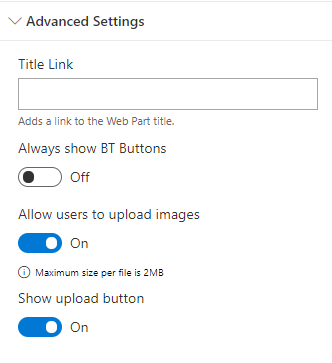
Always show BT Buttons
When this is turned on the icons to manage the content of the Web Part are always visible when the page is in edit mode.
When the feature is turned off you need to hover the web part to see the controls
Title Link
Note this option is only valid if you have a Title on the Web Part.
On the Title of the Web Part, you can add an URL to redirect you to any page. The Web Part will always open the new URL in a new tab of your browser and that option is only visible if you're not in Edit mode.
Allow users to upload images
If you activate this option, users with permissions to manage the connected document library, can upload images by dragging and dropping it to the WebPart zone.
Warning: There is a 2MB size limit per file. Uploads only are available if the options Target Folder on Folder Options and/or Folder Structure on Layout Options are activated.
Show upload button
If you activate this option, an upload button will be available for the users that can upload images.